
How to Play Piggy: Classic
What is Piggy: Classic?
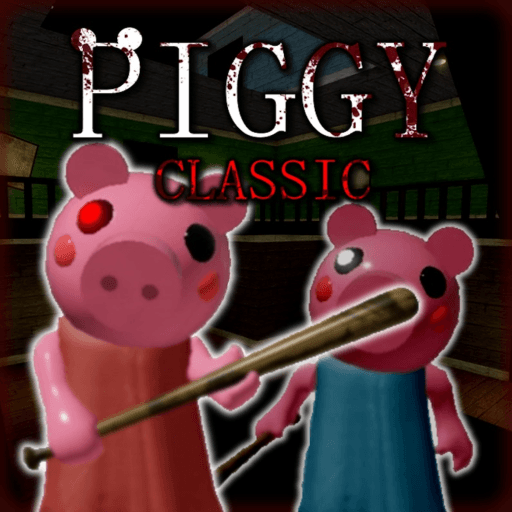
Game is still in testing phase! We are just seeing what people want us to work on, so please keep an open mind! Do you have what it takes to escape Piggy and uncover the mysteries surrounding the beast? Controls: Pick up items / Use items - Click (Computer), Tap (Mobile) or Right Trigger (Controller) Crouch / Place trap - CTRL (Computer), Tap (Mobile) or B (Controller) Credits: IK3As - Building TenuousFlea - 'Billy' Model For You to Stay © 2019 Mira K. ---------------------------------------------------------------------------------------------------------------------------------------------------------------------- THE GAME IS IN BETA, A RECODE IS IN THE WORKS! Piggy is owned by MiniToon, this game is not official. ALL MESSAGES ARE LOGGED, PLEASE BE AWARE OF THIS. Hacking will result in a ban. Glitching or camping will result in a kick. Piggy Coin purchases are free because I don't want to profit off MiniToon's game.
Created by BarkByte
How to Start Playing Piggy: Classic
Create a Roblox Account
Visit roblox.com or download the Roblox app on your phone, tablet, or computer. Create a free account if you don't already have one — it only takes a minute.
Search for "Piggy: Classic"
Open Roblox and type "Piggy: Classic" into the search bar at the top. It should appear as one of the top results since it has 1K active players.
Click the Play Button
Click on Piggy: Classic in the search results, then hit the green "Play" button. The game will load in a few seconds.
Follow the Tutorial
When you first join, Piggy: Classic may have an in-game tutorial or starter guide. Follow it to learn the basic mechanics of the game.
Explore and Have Fun!
Once you've learned the basics, start exploring! Discover all the features and enjoy the experience.
Game Controls
| Action | PC / Mac | Mobile |
|---|---|---|
| Move | W A S D / Arrow Keys | Virtual Joystick |
| Jump | Space Bar | Jump Button |
| Camera | Right Click + Drag | Swipe Screen |
| Zoom | Scroll Wheel | Pinch In/Out |
| Chat | / (Slash Key) | Chat Icon |
| Menu / Escape | Esc Key | ≡ Button |
| First Person | I Key or Zoom In | Zoom All Way In |
| Interact | E Key or Click | Tap |
Tips for Beginners
- 💡Explore the game thoroughly to discover all its features.
- 💡Play with friends for a more enjoyable experience.
- 💡Check for game codes that provide free rewards and boosts.
- 💡Watch tutorial videos from experienced players for advanced tips.
- 💡Be patient and practice — every game gets easier with time.
Fast Progression Plan (First 60 Minutes)
0-15 min: setup and early unlocks
Finish onboarding and focus on repeatable objectives instead of risky challenges. Lock in your core loadout first.
15-40 min: resource efficiency
Prioritize actions with the best reward-per-minute. If rewards are time-limited, stack them before longer sessions.
40-60 min: scale your route
Move into higher-value loops and avoid low-return side activities. Compare your progress against live stats to spot plateaus.
Codes, Updates, and Patch Awareness
Most players lose time by grinding outdated loops after patches. Check recent game changes and active rewards first, then adapt your routine.
- 1. Redeem active rewards from codes for Piggy: Classic before major sessions.
- 2. Review momentum on the live stats page for player and trend shifts.
- 3. Rotate to similar games when a patch slows progression.
Ready to play Piggy: Classic?
Join 1K other players right now
Frequently Asked Questions
6 questions about Piggy: Classic
Piggy: Classic is a Roblox game in the building category. Game is still in testing phase! We are just seeing what people want us to work on, so please keep an open mind! Do you have what it takes to escape Piggy and uncover the mysteries surrounding the beast? Controls: Pick up items / Use items - Click (Computer), Tap (Mobile) or Right Trigger (Controll...
To play Piggy: Classic, visit the Roblox website or open the Roblox app, search for "Piggy: Classic", and click the Play button. You need a free Roblox account to play.
Yes, Piggy: Classic is free to play on Roblox. Some games may offer optional in-game purchases using Robux, but the core experience is always free.
Piggy: Classic has received over 64.3 million visits on Roblox, with 1 thousand players currently online. It has 18 thousand likes and a rating of 4.3 out of 5.
Piggy: Classic was created by BarkByte on the Roblox platform.
Piggy: Classic falls under the building genre on Roblox. You can explore more building games on our website.